
Recolor Artwork
Changing the color to a lot of vector objects can be a tedious process. The Adjust Colors options makes it easier for you to recolor several object or the entire artwork at once.
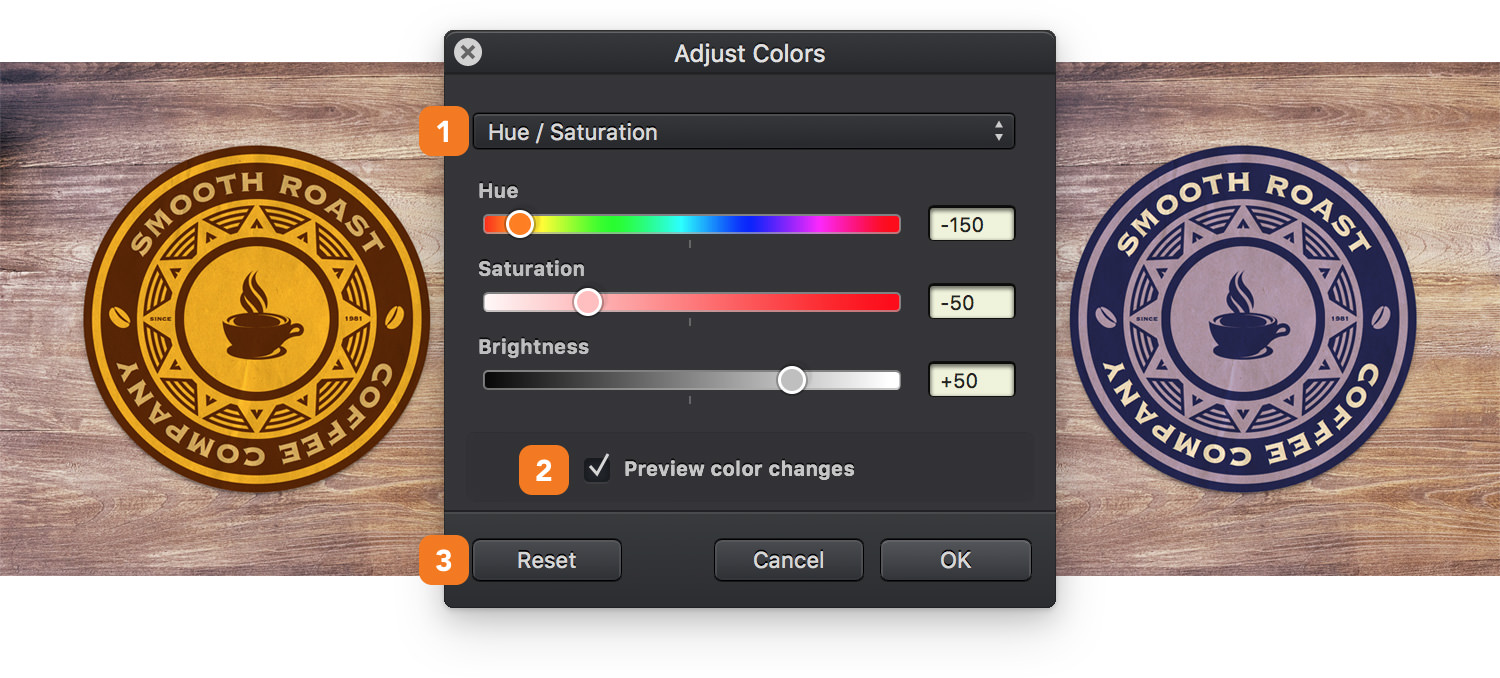
Select the objects and go to Modify > Adjust Colors [⌘ - B] to open the Adjust Colors window.
-
Recolor Method - choose between three recolor methods: Hue / Saturation, Color Balance and Brightness / Contrast. Moving these sliders will adjust the colors used for your artwork.
-
Preview color changes - Check this box for a live preview with the changes.
-
Reset - Hit the Reset button to return to the original colors of your artwork.
Next: Gradients >