

Exporting Layers
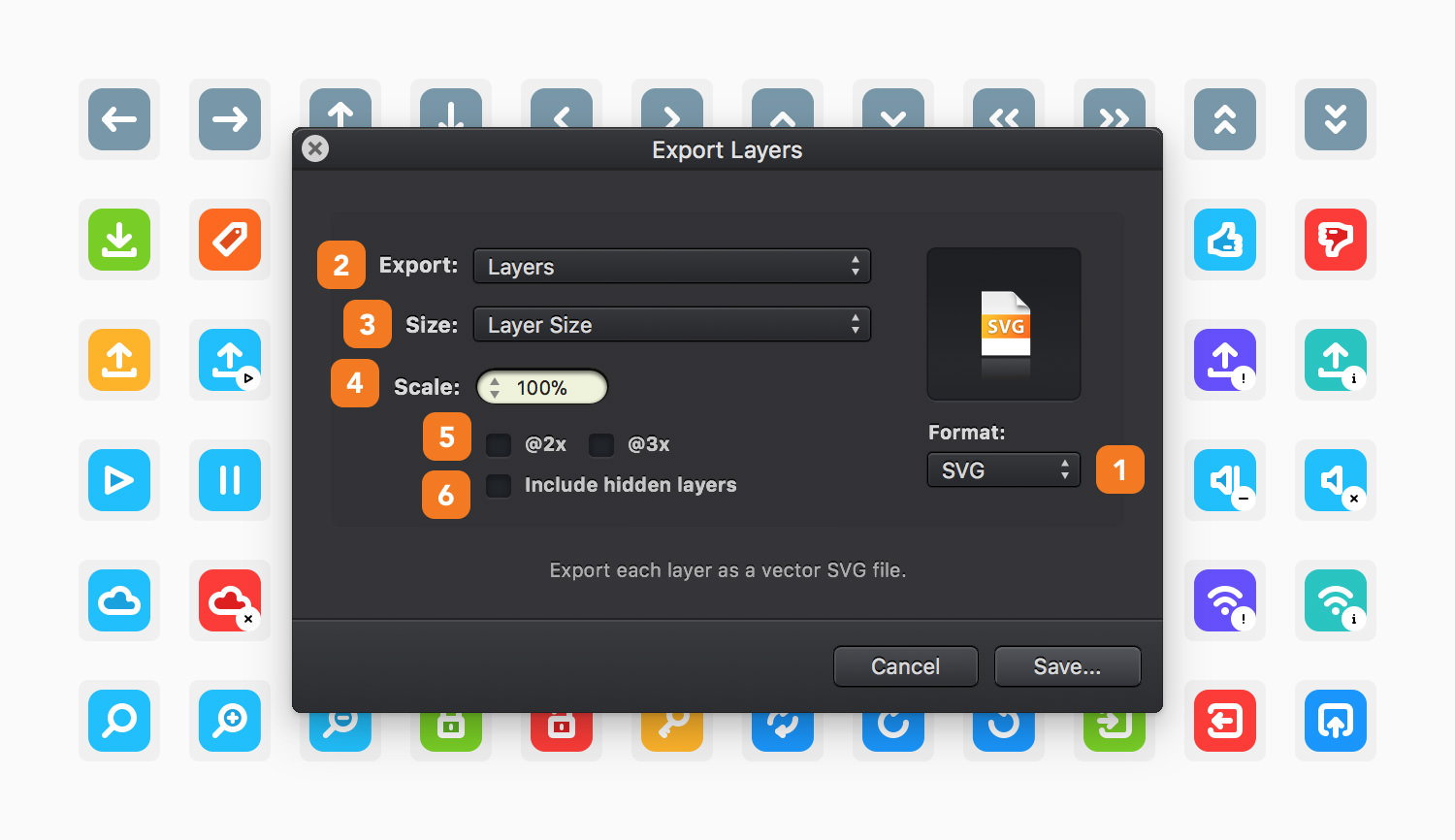
Alternatively, you can export your design layer by layer or object by object as an image or vector-based file. When ready to export, go to File > Export Layers... [⌘ - ⇧ - ⌥ - E] to open the Export Layers pop-up window.
-
File Format - Pick the file format to be used for the layer/object you are about to export.
-
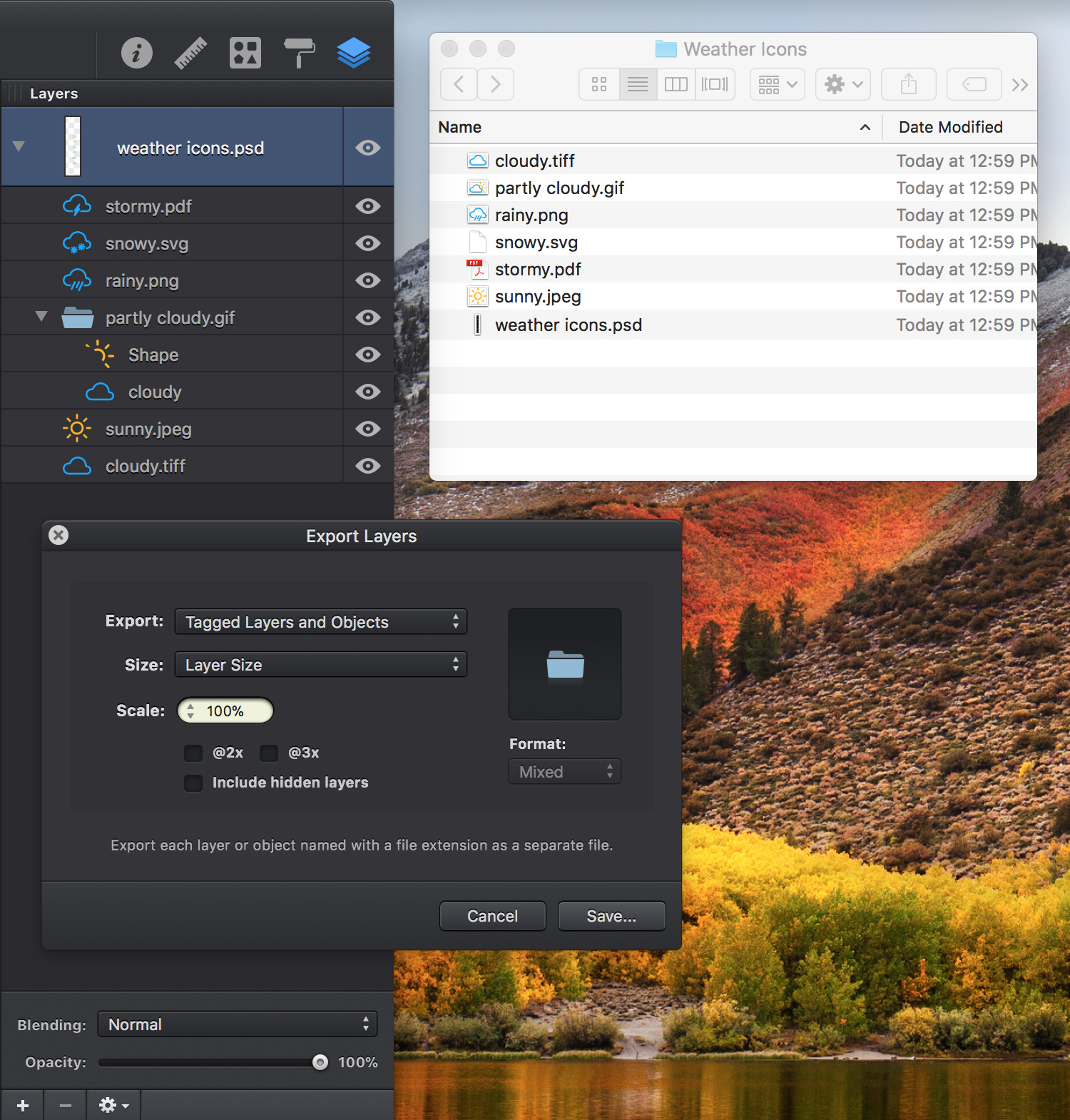
Export - Set which layers to be exported. Select Layers to export all layers or Tagged Layers and Objects to export only the tagged layers and objects. To tag a layer, a group or an object go to the Layers panel and simply add a file extension to the name of that layer, group or object.
-
Size - Set the size of the exported files. Select Canvas Size to export layers/objects using the canvas size or select Layer Size to export layer/object using their actual size.
-
Scale - Set the scale of your exported files.
-
Copies - Check the @2x box to save a Retina @2x image along with the original image or check @3x to save a Retina @3x image.
-
Include Hidden Layers - Check this box to also export hidden layers.
Next: Slices >