
View Modes
By default, the view mode for your Canvas is set to vector mode. In vector mode all your objects will have crips edges. Only images and burred effects will be displayed in pixel preview mode, as a blur is a pixel-based effect.
Pixels mode
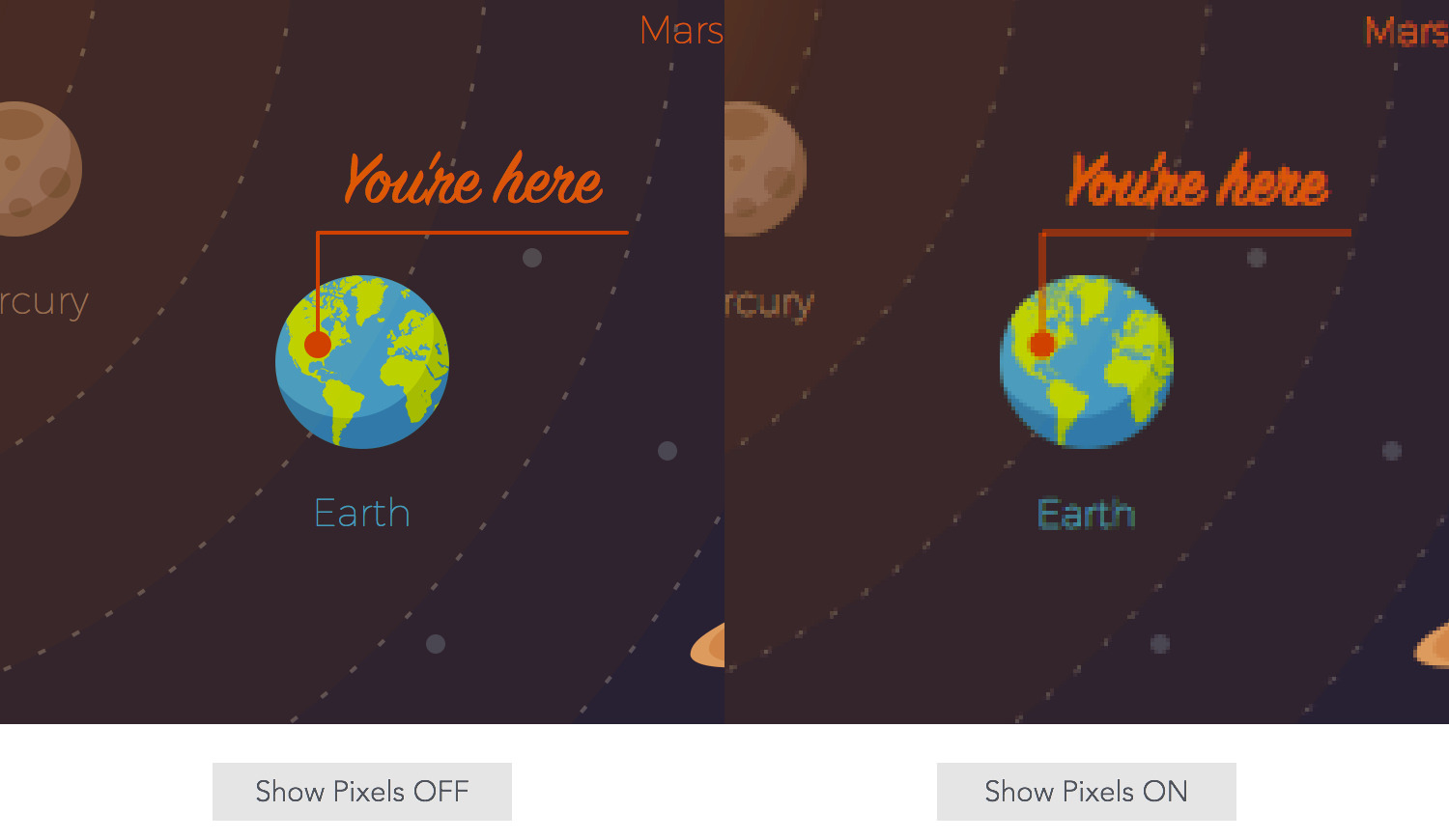
The Show Pixels mode lets you view exactly how every pixel will look when your design is exported as an image file (PNG or JPEG). This can be really helpful when you are looking to create pixel perfect designs.
Go to View > Show Pixels [⌥ - ⌘ - P] to enable or disable this feature. Once you enable the Show Pixels mode, set the zoom value over 100% in order to notice the pixels.
Outline mode
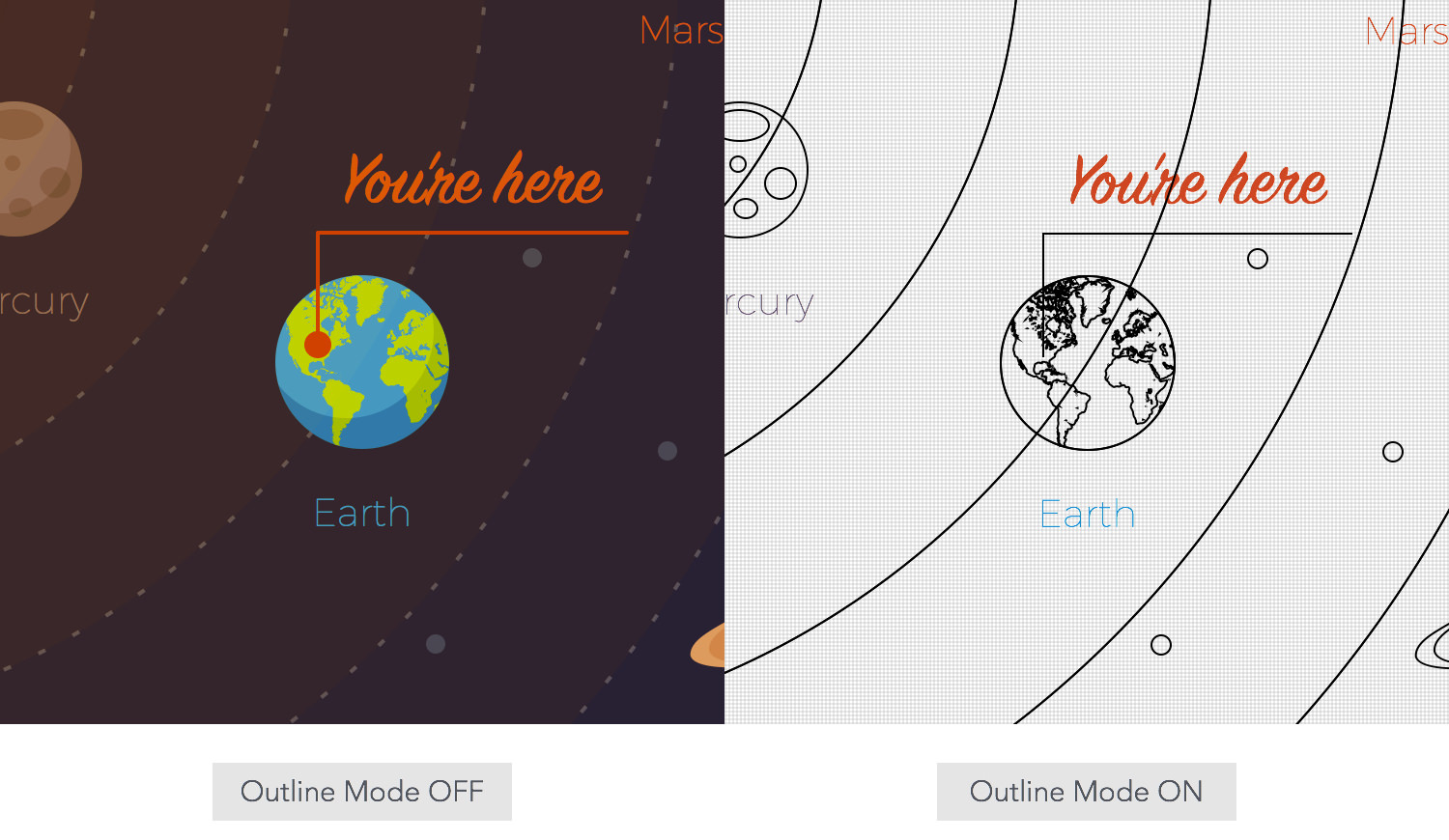
The Outline Mode makes sure that shapes and objects (new or already created) are drawn only as simple outlines. This can significantly improve performance when working on large complex documents. With this setting disabled, objects are fully redrawn as they are being moved, resized, rotated, etc.
Go to View > Outline Mode [⌘ - 3] to enable or disable this feature.
Next: Rulers >